You should upgrade or use an alternative browser.
Shrine Theme Pro (Shopify Theme) [Removed]
- Status
- This content is read-only, or is not open for further replies.
Posts
7
Likes
9
 Credits
0
110 XP
So a workaround temporarily would be that you use this to edit your page. once you have finished editing your page, reverse the changes to their original. the editing will be blocked but the store will run as usual.I found the issue, remove the line 11 and edit line 38 from https://js.shrinetheme.com/main.js?version=1 to {{ 'shrine.null.js' | asset_url }} in the theme.liquid file
Then upload the shrine.null.js file from the nulled version of the v1.0.1 and now enjoy your v1.0.4
this way you can make sales with this theme until you can buy the original or pay for a decently cracked one.
Posts
1
Likes
1
Credits
0
60 XP
Yeah true, hopefully someone who knows how to code can find a solution for this.The drawer will not work if you do this
Posts
2
Likes
2
Credits
0
60 XP
I dont have the file but its in a store to which I have access and can edit codes.Hey send me file , I will nulled that
Posts
5
Likes
5
Credits
0
60 XP
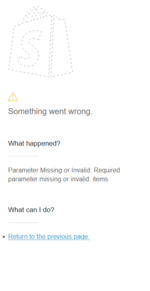
Fixed one issue, and made another when adding to cart.I found the issue, remove the line 11 and edit line 38 from https://js.shrinetheme.com/main.js?version=1 to {{ 'shrine.null.js' | asset_url }} in the theme.liquid file
Then upload the shrine.null.js file from the nulled version of the v1.0.1 and now enjoy your v1.0.4
Attachments
lucamastrangelo
User Suspended
Posts
1
Likes
2
Credits
0
60 XP
Posts
1
Likes
1
Credits
0
60 XP
You are a G thank you wowI found the issue, remove the line 11 and edit line 38 from https://js.shrinetheme.com/main.js?version=1 to {{ 'shrine.null.js' | asset_url }} in the theme.liquid file
Then upload the shrine.null.js file from the nulled version of the v1.0.1 and now enjoy your v1.0.4
Olympus
User Suspended
Posts
1
Likes
1
Credits
0
60 XP
"Then upload the shrine.null.js file from the nulled version of the v1.0.1 and now enjoy your v1.0.4"You are a G thank you wow
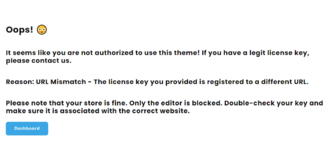
I don't understand how to do that
I have version 1.0.4
I've changed the terms of codes 11 and 38 line
but my shopping cart doesn't work, how can I fix it?

Posts
1
Likes
0
Credits
0
60 XP
Has anyone solved the problem with the license key? If someone knows how to fix that issue contact me i can pay for the resolution
View attachment 34708
does somebody fix this issue?
Posts
1
Likes
0
Credits
0
60 XP
hi bro it says that i need license key... how can i fix that?Hi guys, fixed theme finally. I would like to everyone appreciate it and say thanks. If any admin sees this also, give me any recognition or privilege (over 2 downloads daily for example), i paid 20$ for this theme and im giving it away for free for you all to enjoy it.
Posts
1
Likes
0
Credits
0
60 XP


Posts
2
Likes
4
Credits
0
165 XP

Posts
1
Likes
0
Credits
0
60 XP
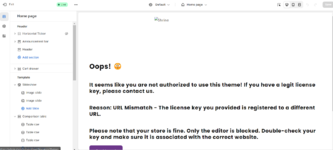
brother when i upload the theme it's saying that we have no authorization. how to fix itHi guys, fixed theme finally. I would like to everyone appreciate it and say thanks. If any admin sees this also, give me any recognition or privilege (over 2 downloads daily for example), i paid 20$ for this theme and im giving it away for free for you all to enjoy it.

Posts
1
Likes
0
Credits
0
80 XP
I found the issue, remove the line 11 and edit line 38 from https://js.shrinetheme.com/main.js?version=1 to {{ 'shrine.null.js' | asset_url }} in the theme.liquid file
Then upload the shrine.null.js file from the nulled version of the v1.0.1 and now enjoy your v1.0.4
This works except for removing items from cart, for some reason is not getting updated. If I find the solution I will update.
- Status
- This content is read-only, or is not open for further replies.