Ren08
Supreme Overlord

offline
Posts
670
Likes
62,240
Resources
603
 Credits
9
LEVEL
10
3,230 XP
Hey everyone, my name's Kav, and I'm here to help you bridge the gap between Minecraft Java and Bedrock editions!
Many of us hit a common snag: playing across different Minecraft versions can be tricky because most world-building resources are primarily designed for Java. But don't worry, there's a fantastic solution available for almost every platform!
Many of us hit a common snag: playing across different Minecraft versions can be tricky because most world-building resources are primarily designed for Java. But don't worry, there's a fantastic solution available for almost every platform!
Get the Tool You Need!
This tool works whether you're on a mobile device (Android/iOS) or a computer (Windows and more). Here's how you can access it:- Mobile Users (Android/iOS): You can use this tool directly from its official website [Chunker] – no download needed! Just visit the site in your browser.
- Computer Users (Windows/Mac/Linux): Simply head over to the official website [Chunker] to download the tool.
- When we have access to the tool, we will see these two options to upload the world :
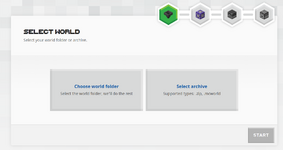
- Choose world folder :
- This option is used when your Minecraft world folder is saved Somewhere on your device (which is common for Java Edition worlds or Bedrock worlds).
- You simply select the folder containing your world files, and the tool will automatically recognize all world files. [java and Bedrock]
- Select archive :
- zip your java world folder to be like this worldname.zip, so you can just upload it by selecting archive - [java]
- and if it is a bedrock world, zip it and then Rename the format from .zip to .mcworld - [bedrock]
After that you can press Start to start the Uploading Process
and You Choose the Version That you Want and press Convert
OR by Pressing Advanced Mode :and You Choose the Version That you Want and press Convert
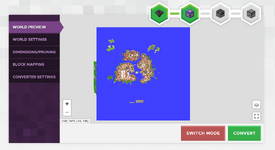
You Can Review The World :
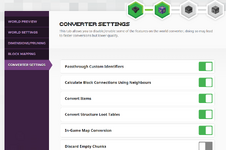
Change World Settings :
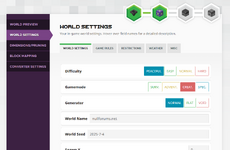
change one dimension to another :
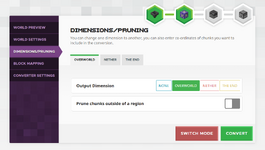
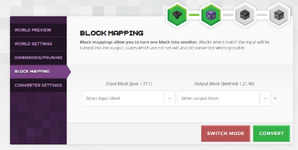
turn one block into another :