![[XTR] Modal Popups](/data/resource_icons/2/2536.jpg?1673296235)
- Compatible versions
- 2.1, 2.2
A great way to show quick information to your users is to use modal dialog boxes or windows. Dialog boxes can also be used to alert them to warnings, errors and more. If done correctly, good looking dialogs can be an easy way to make your site feel more modern without a lot of extra work.
User group permissions

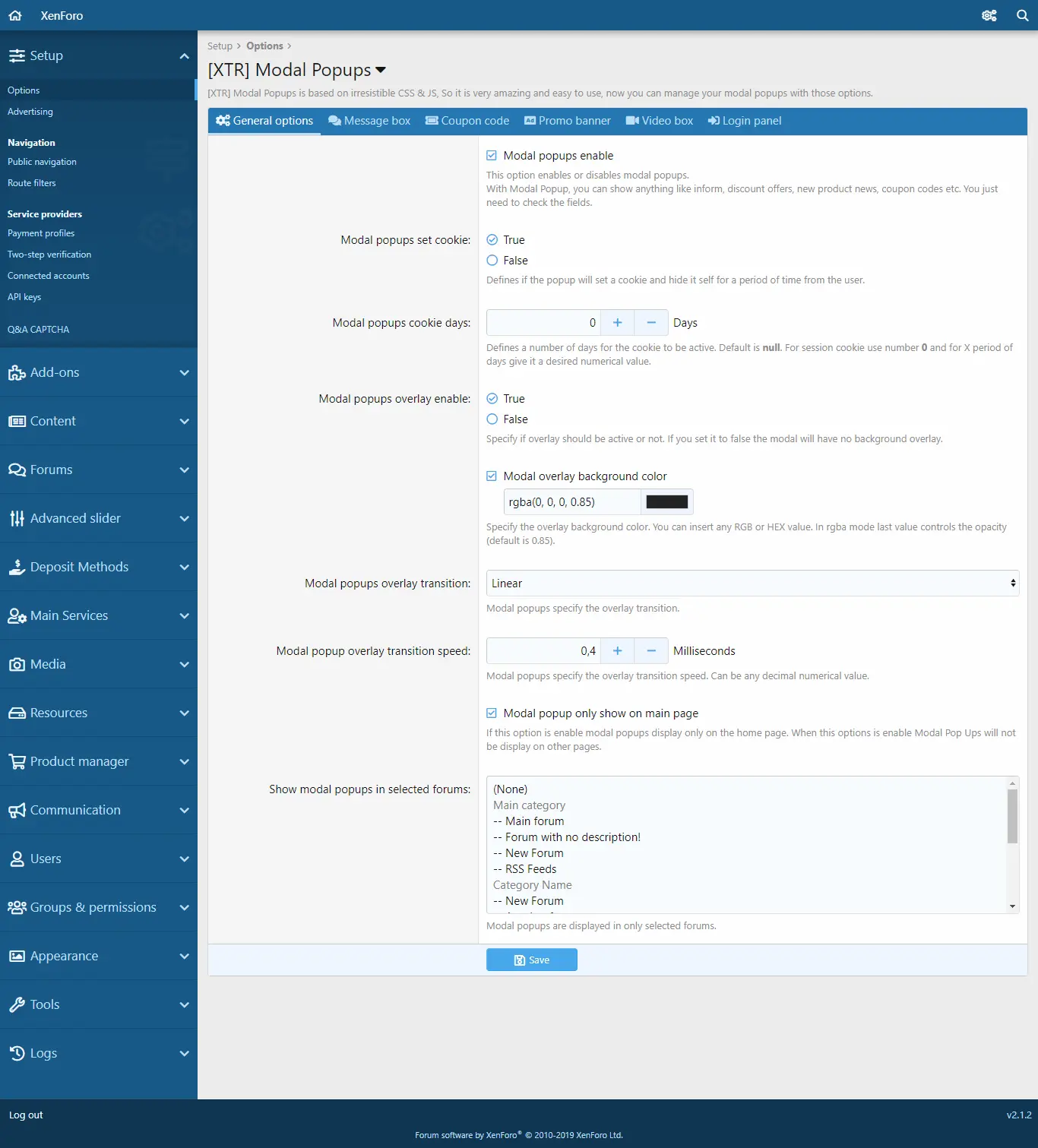
General Settings
Message Box
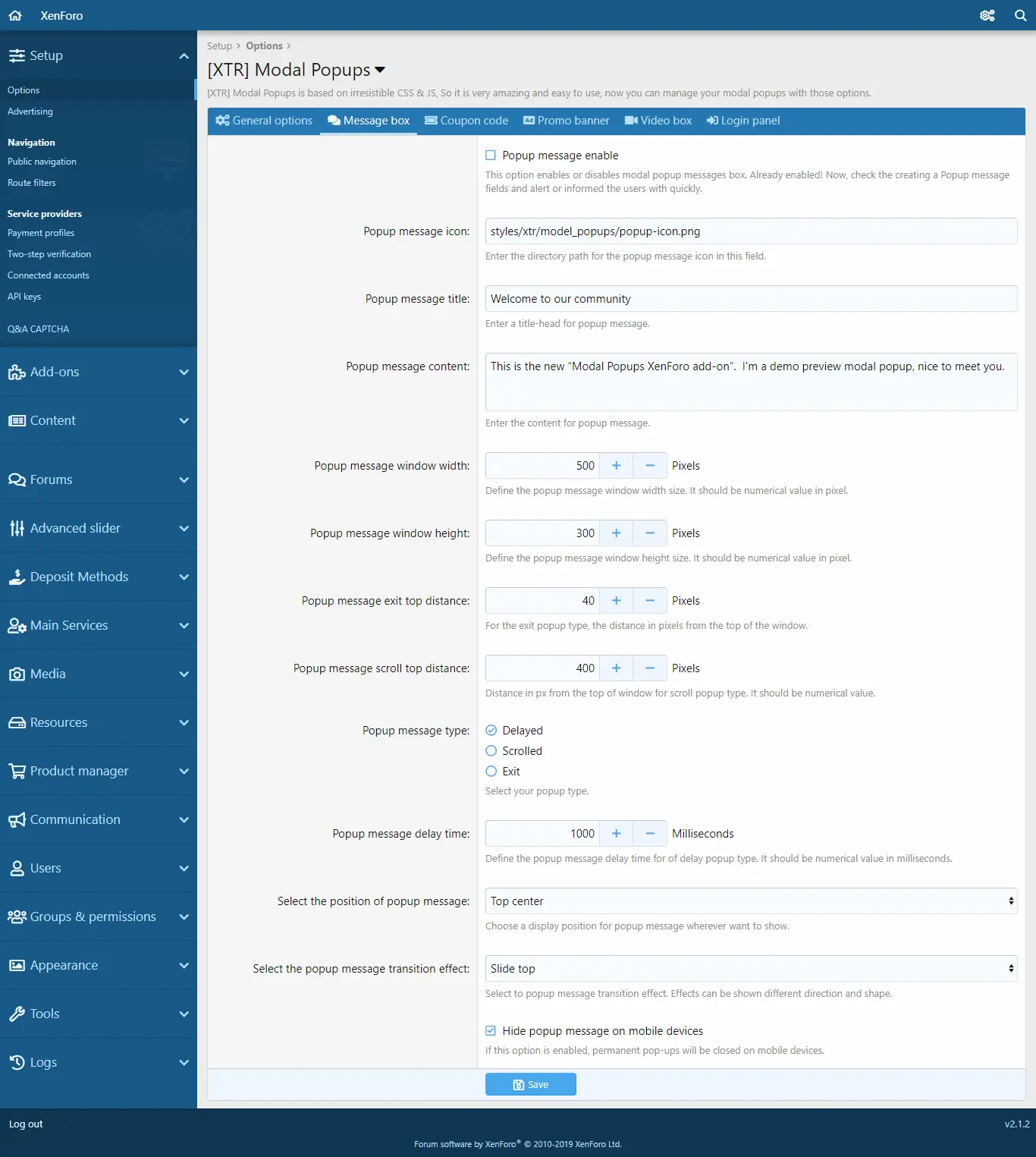
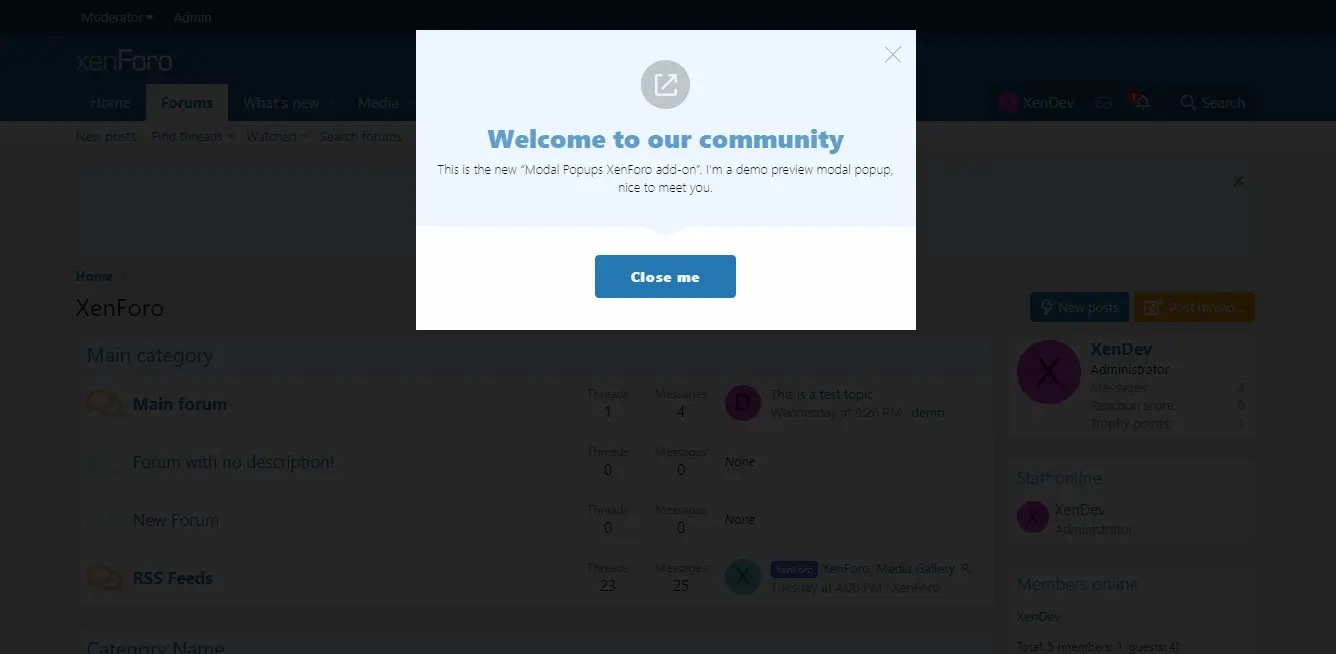
When the message box option is enabled, you can show a welcome message to users who visit your website in a popup window.
Coupon code
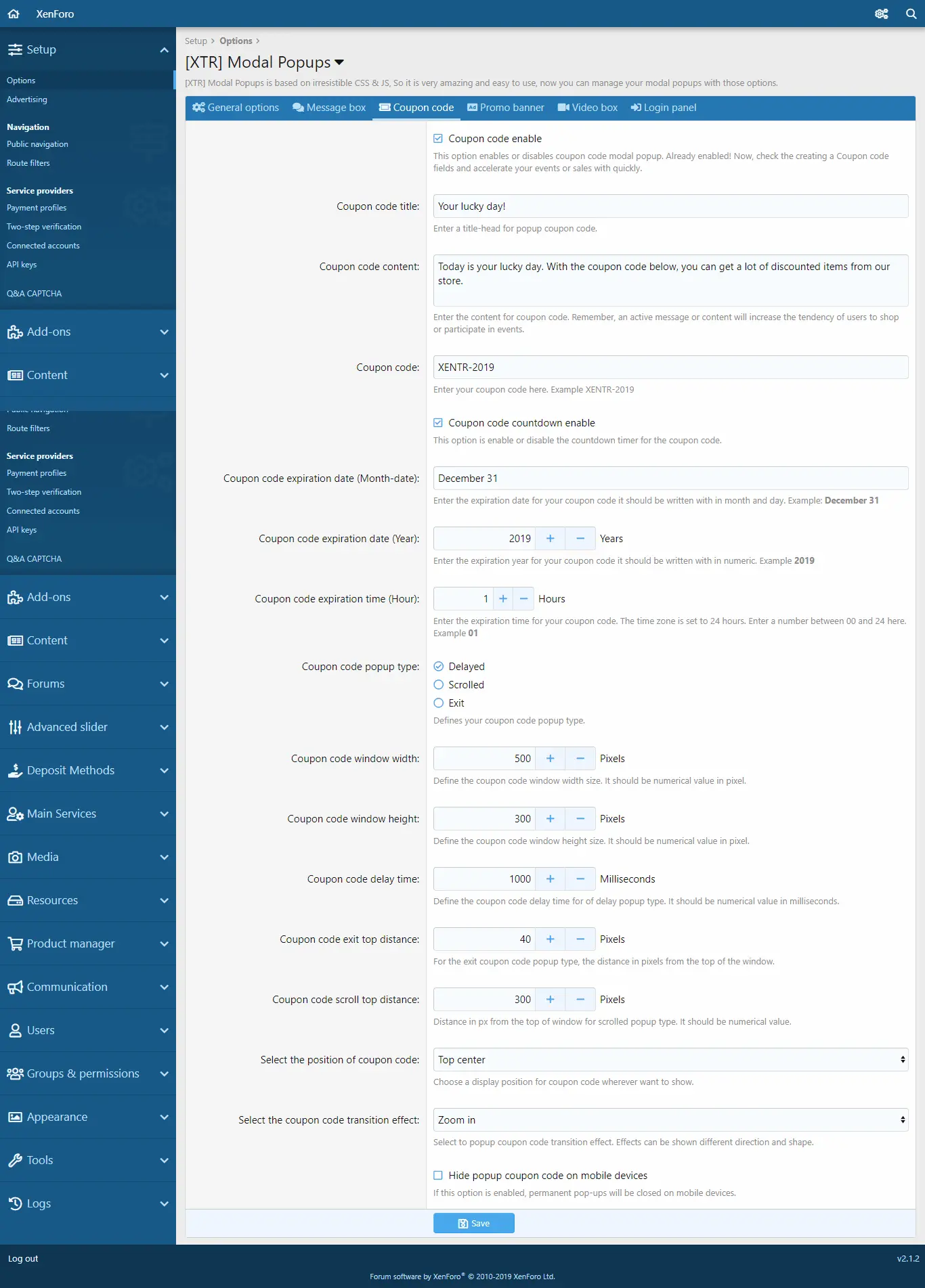
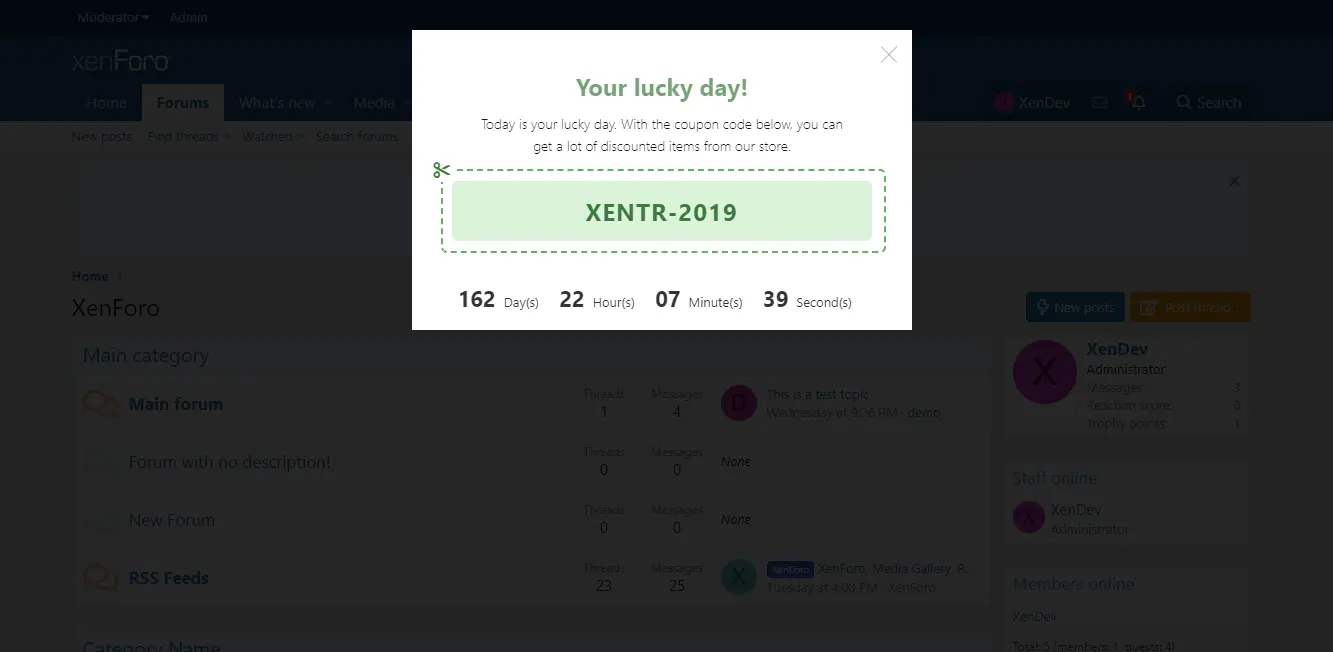
When the coupon code option is enabled, you can set up various coupon codes to increase the effectiveness of your website within a popup window to users who visit your website, allowing you to use the code to grant the required permissions to the groups of users you want to use.
You can set the date of the coupon code for the date and time that you set, you can use your coupon code through the countdown timer. When finished, you can automatically display This coupon code is no longer valid.
Promo Banner
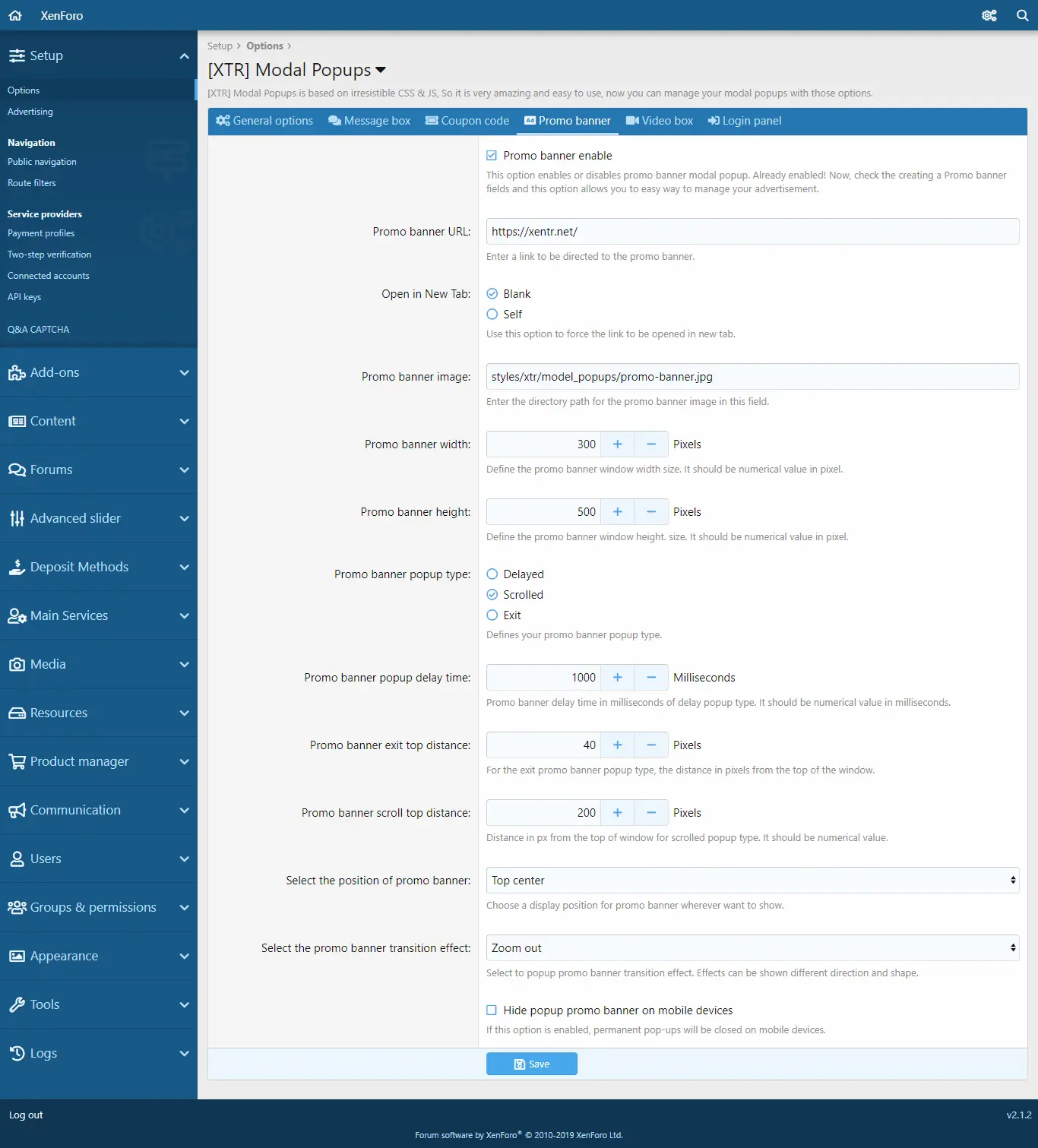
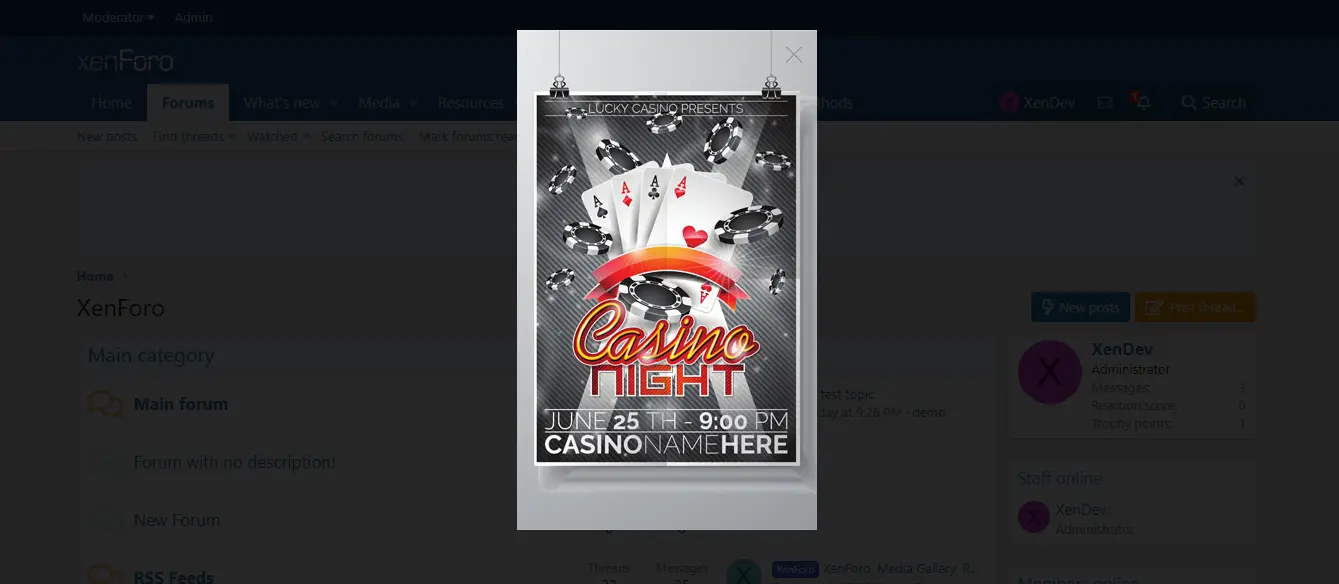
When the promotional banner option is enabled, you can display and link to a banner on a pop-up page. Optionally, you can open the link in the new tab or show it on the same page. In addition, the width, height, and so on of the banner display. You can easily set.
Video Box
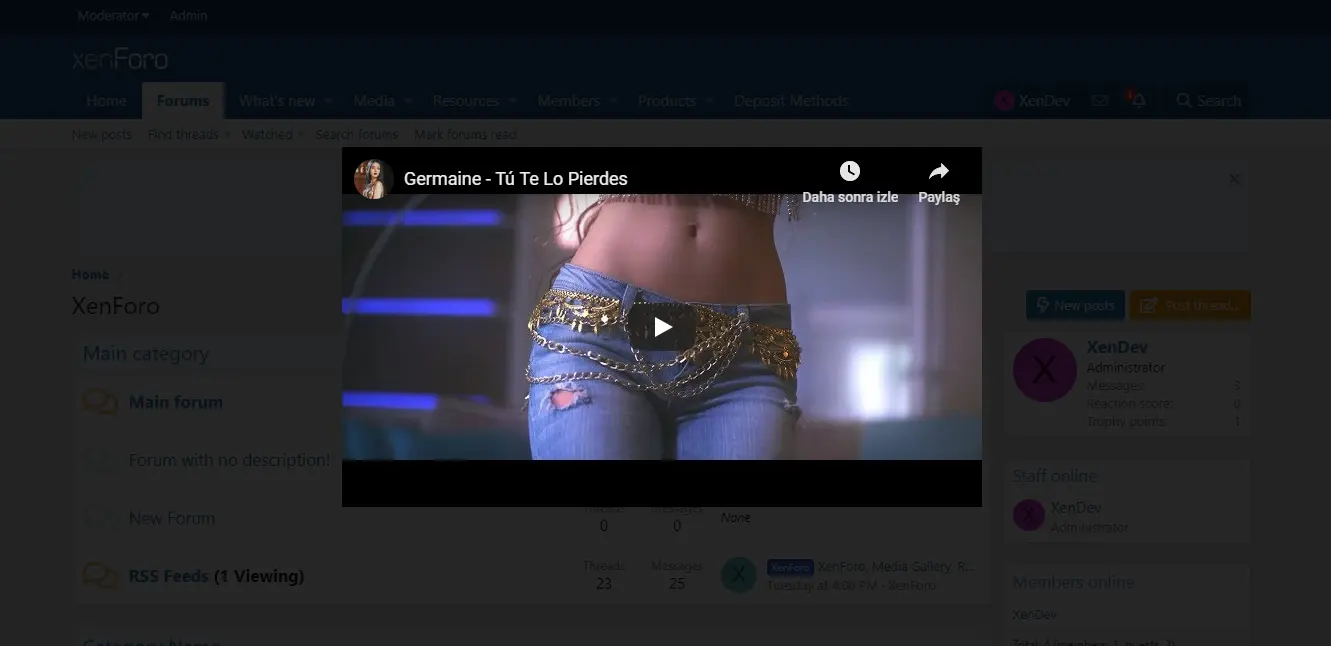
Youtube video
Vimeo Video
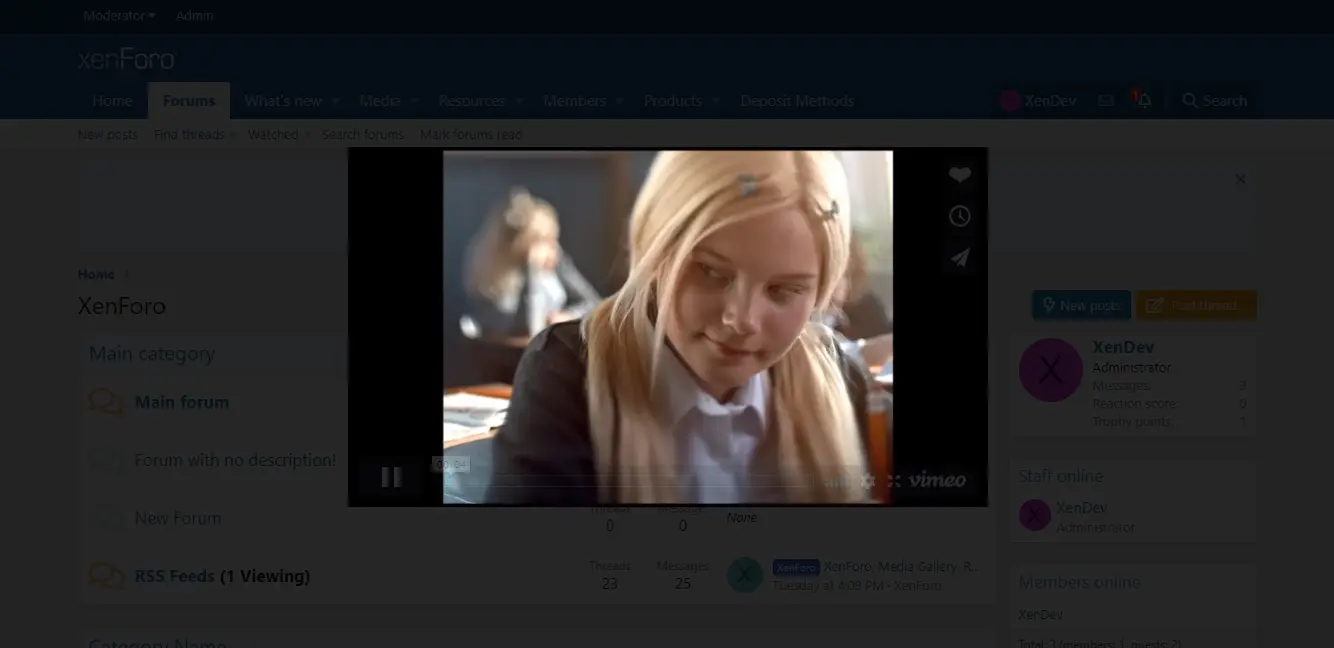
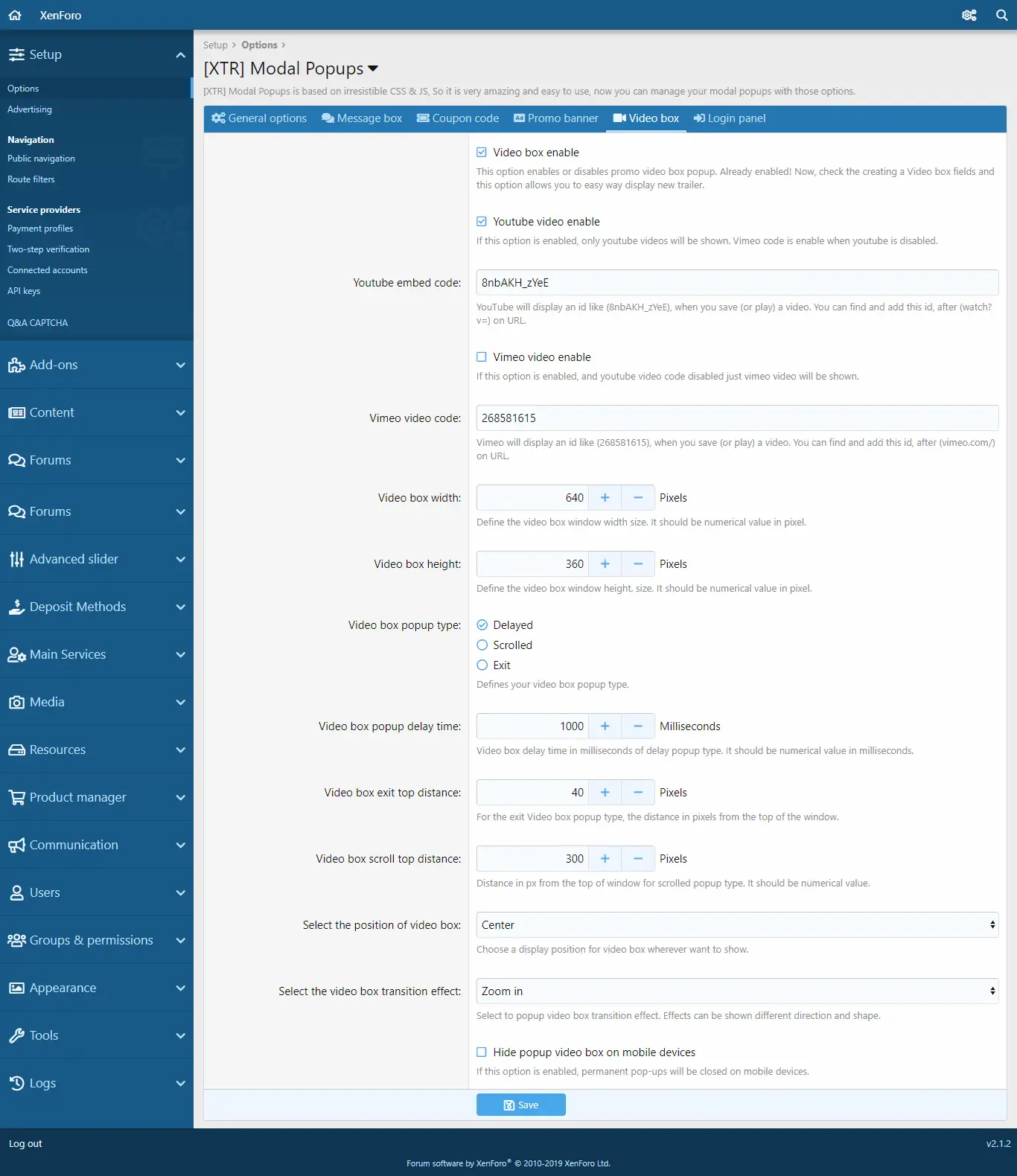
When the Video Box option is enabled, you can easily display your Youtube and Vimeo videos in a popup on your page in a very simple way. All you need to do is simply type the code for the video you want to view 8nbAKH_zYeE in the example. You can adjust other settings as desired.
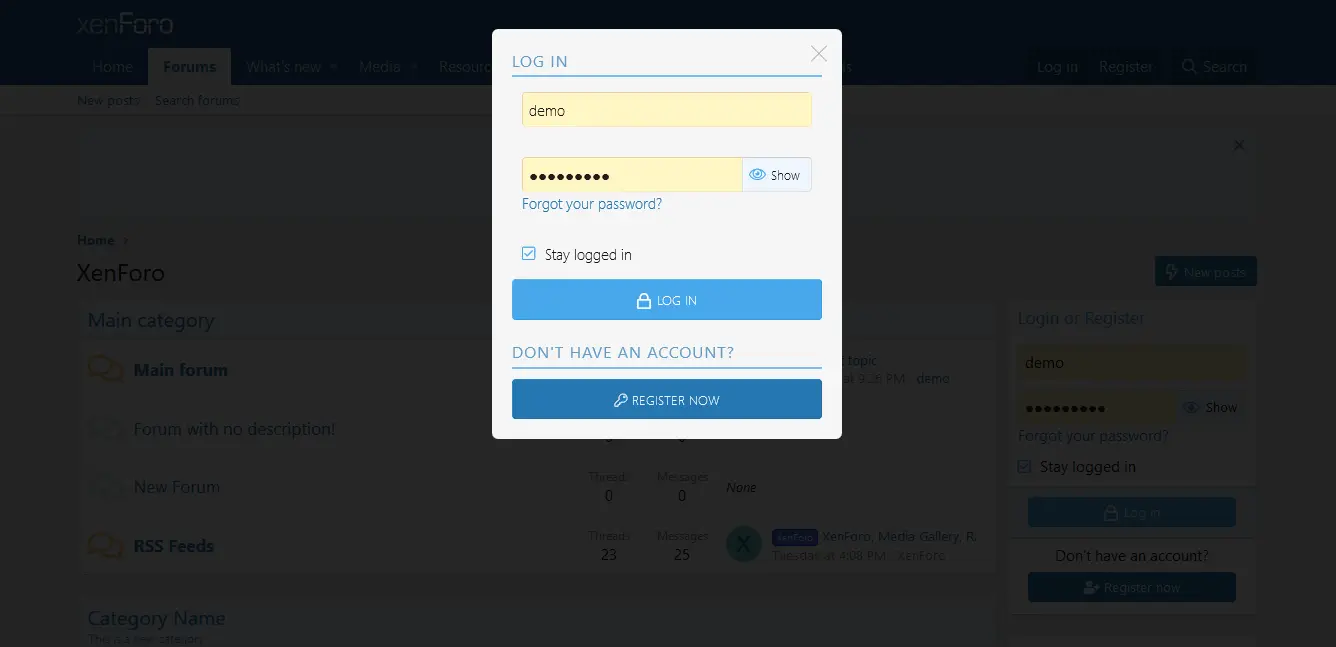
Login Panel
Other Features:
Selection of popup type
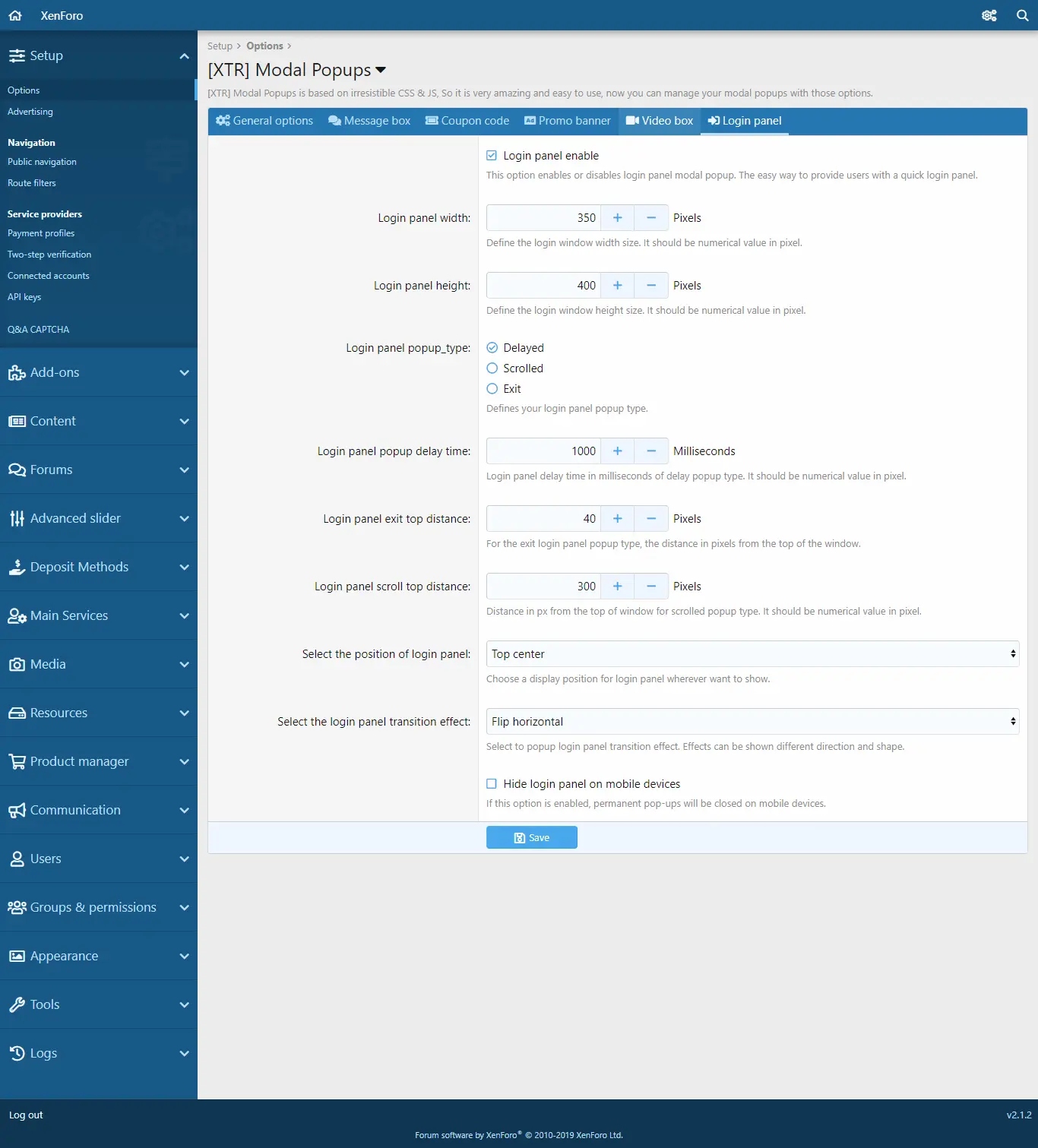
Delayed = Delay (The duration of this can also be set from ... popup delay time immediately after the page is loaded.)
Scrolled = Scrolling (Scrolling down the page. After the specified pixel value, popup is displayed. This pixel value can also be set in ... scroll top distance field.)
Exit = If this option is enabled, it will be activated when the user wants to leave the page or close the tab. Here you can set how many pixels the user should see when they want to leave the page in ... exit top distance.
Location selection feature
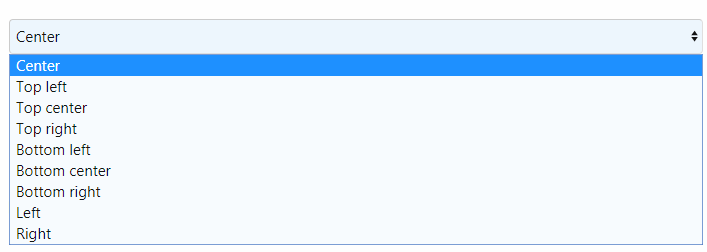
Here you can specify where you want to show the popup display on your page.
Transition Effect feature
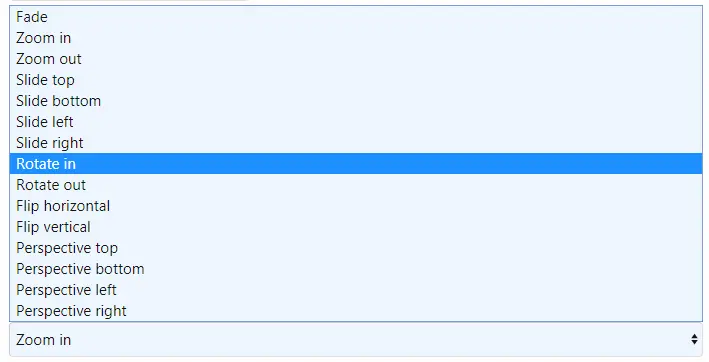
You can select any of the 15 transition effects for the popup that opens. This will give you a cooler impression.
Display on mobile devices
(You can turn off popup impressions on mobile devices when the option for mobile devices is enabled.
In addition to all this, it has been developed as fully sensitive. You can also show them seamlessly on your mobile devices. And you can explore a lot more features.
User group permissions
General Settings
Message Box
When the message box option is enabled, you can show a welcome message to users who visit your website in a popup window.
Coupon code
When the coupon code option is enabled, you can set up various coupon codes to increase the effectiveness of your website within a popup window to users who visit your website, allowing you to use the code to grant the required permissions to the groups of users you want to use.
You can set the date of the coupon code for the date and time that you set, you can use your coupon code through the countdown timer. When finished, you can automatically display This coupon code is no longer valid.
Promo Banner
When the promotional banner option is enabled, you can display and link to a banner on a pop-up page. Optionally, you can open the link in the new tab or show it on the same page. In addition, the width, height, and so on of the banner display. You can easily set.
Video Box
Youtube video
Vimeo Video
When the Video Box option is enabled, you can easily display your Youtube and Vimeo videos in a popup on your page in a very simple way. All you need to do is simply type the code for the video you want to view 8nbAKH_zYeE in the example. You can adjust other settings as desired.
Login Panel
Other Features:
Selection of popup type
Delayed = Delay (The duration of this can also be set from ... popup delay time immediately after the page is loaded.)
Scrolled = Scrolling (Scrolling down the page. After the specified pixel value, popup is displayed. This pixel value can also be set in ... scroll top distance field.)
Exit = If this option is enabled, it will be activated when the user wants to leave the page or close the tab. Here you can set how many pixels the user should see when they want to leave the page in ... exit top distance.
Location selection feature
Here you can specify where you want to show the popup display on your page.
Transition Effect feature
You can select any of the 15 transition effects for the popup that opens. This will give you a cooler impression.
Display on mobile devices
(You can turn off popup impressions on mobile devices when the option for mobile devices is enabled.
In addition to all this, it has been developed as fully sensitive. You can also show them seamlessly on your mobile devices. And you can explore a lot more features.


![[Volya] Party HUD](/data/resource_icons/11/11542.jpg?1743963115)
![[Volya] MMORPG HUD Bundle](/data/resource_icons/11/11541.jpg?1743962884)
![[Magic Store] Essential Icons Vol.1 (5,340 Icons)](/data/resource_icons/11/11540.jpg?1743962702)
