
- Compatible versions
- 2.2
With this add-on, you will be able to monetize your forum which has unique content.
It works very simply: you need to put the content that you want to hide (download link, important information, match prediction, etc.) under the HIDDEN tag, set the price and get paid for every view of your content. Thus, you can hide not only text, but also attachments, for which there is a button on each attachment (Note: previews of images that have been hidden in this way will still be available).
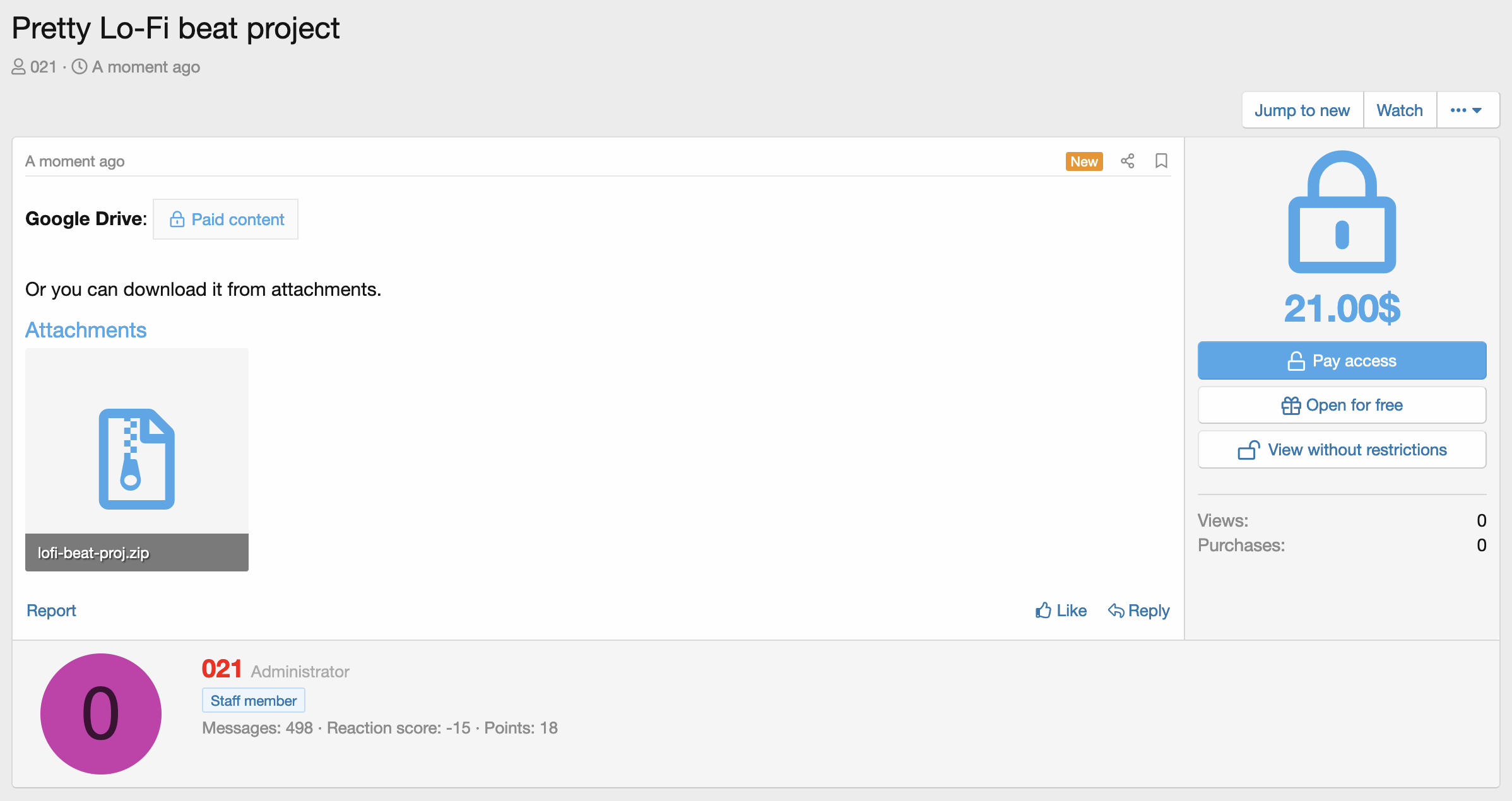
The add-on also provides for the existence of a paid upgrade, by purchasing which the user will be able to view all paid content on the forum (or content in certain forums). You can also set permissions (view paid content, create threads with paid content, purchase paid content) for each forum, member, group, etc.
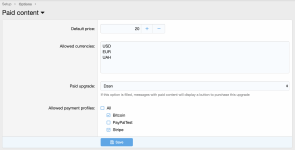
It works very simply: you need to put the content that you want to hide (download link, important information, match prediction, etc.) under the HIDDEN tag, set the price and get paid for every view of your content. Thus, you can hide not only text, but also attachments, for which there is a button on each attachment (Note: previews of images that have been hidden in this way will still be available).
The add-on also provides for the existence of a paid upgrade, by purchasing which the user will be able to view all paid content on the forum (or content in certain forums). You can also set permissions (view paid content, create threads with paid content, purchase paid content) for each forum, member, group, etc.
1. Go to ACP -> Groups & permissions -> User groups (/admin.php?user-groups/) and give permissions ([021] Paid content interface group) to create threads with paid content and buy it to the right groups.
2. Go to ACP -> Nodes (/admin.php?nodes/) and check the box for Paid contents in the Allowed thread types field for forums where it will be possible to create a thread with paid content.
2. Go to ACP -> Nodes (/admin.php?nodes/) and check the box for Paid contents in the Allowed thread types field for forums where it will be possible to create a thread with paid content.
1. Create a new user group (VIP for example) (/admin.php?user-groups/) and set View paid content permission to Yes.
2. Create a new user upgrade and check the box for a just created user group (VIP) in Additional user groups field (/admin.php?user-upgrades/)
3. Go to Paid content options (/admin.php?options/groups/bspcPaidContent/) and set Paid upgrade option to a just created user upgrade.
4. Done!
If you want to give the ability to view content without restrictions in a particular forum, you need to set the permissions for the VIP group in the forum you need on the Groups & permissions -> Node permissions page (/admin.php?permissions/nodes/).
2. Create a new user upgrade and check the box for a just created user group (VIP) in Additional user groups field (/admin.php?user-upgrades/)
3. Go to Paid content options (/admin.php?options/groups/bspcPaidContent/) and set Paid upgrade option to a just created user upgrade.
4. Done!
If you want to give the ability to view content without restrictions in a particular forum, you need to set the permissions for the VIP group in the forum you need on the Groups & permissions -> Node permissions page (/admin.php?permissions/nodes/).
1. Go to ACP -> DragonByte Credits -> Events (/admin.php?dbtech-credits/events/)
2. Click Add event
3. Choose Paid content sale event trigger
4. Fill Title and Currency fields
5. Done!
Now, when buying paid content, the amount of paid content will be credited to the account of the author.
To set up a commission for crediting, change the value of the Taxed user field to Receiving user and in the Taxation field, specify the desired commission as a percentage (decimal form). For example, if you want the commission to be 10%, you need to enter the value 0.1 in the Taxation field. Then, when selling content for $100, the user's account will be credited with $90.
2. Click Add event
3. Choose Paid content sale event trigger
4. Fill Title and Currency fields
5. Done!
Now, when buying paid content, the amount of paid content will be credited to the account of the author.
To set up a commission for crediting, change the value of the Taxed user field to Receiving user and in the Taxation field, specify the desired commission as a percentage (decimal form). For example, if you want the commission to be 10%, you need to enter the value 0.1 in the Taxation field. Then, when selling content for $100, the user's account will be credited with $90.
-
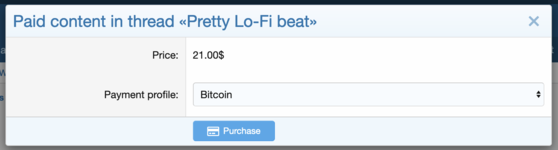 Purchase form.png
 -
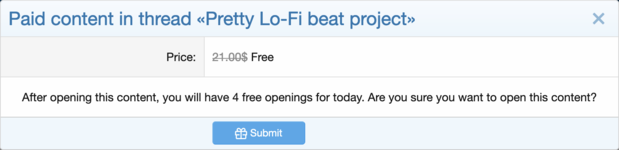 Open content for free form.png
 -
 Attachment view error.png
 -
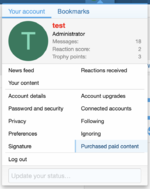 Account menu.png
 -
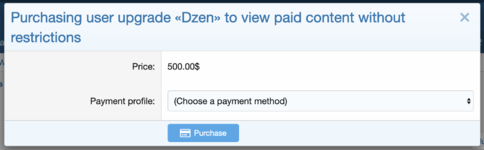 Paid upgrade purchase form.png
 -
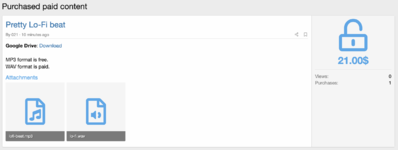 Purchased content log.png
 -
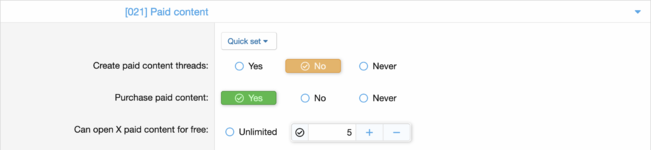 Permissions.png
 -
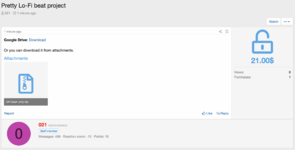 Opened content.png
 -
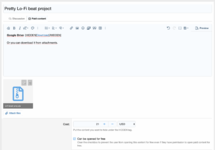 Thread creation.png


![X PRISON - Packet Prison Core [1.13-26.2]](/data/resource_icons/0/867.jpg?1779869399)


